Customer Support

 Login
Login





OOZE RIPLEY DAB RIG HOOKAH
You’ve never seen a dab rig quite like the Ripley! This dab rig hookah is equipped with a King Size Onyx Atomizer for clean C-Core action, plus a tethered carb cap, 2400 mAh battery, LED lights, an elegant hookah hose mouthpiece, and a digital screen to control your session.
How to Clean the Ripley
We highly recommend wiping the Ripley down right after your session!
This may seem a little backwards, but it is so much easier to wipe off the residue when it is still fresh and warm. Avoid the regret of letting residue dry, which basically cements it inside your Ripley. That's just how extracts are!
Make your life easier and your dabs much more pleasant by taking a few extra seconds to wipe down your atomizer and the Quick Connection ports of your Ripley right after you finish your session.
How to Clean the Ripley Dab Rig Hookah
Remove the carb cap lid and separate the pieces. Wipe the glass ball piece down with alcohol.
Unscrew the King Size Onyx Atomizer and use a Micro Swab to remove any residue from the bucket and under the threads. Swab inside the chamber.
Empty the water chamber and use Res Gel to clean the glass.
Remove your hose and run some alcohol through it. Plug both ends and swish it back and forth to clean the airway. Rinse and let dry.
Fill a small dish with alcohol and place the ball bearings and Quick Connection ports in the cleaning solution. Rinse, let dry, and replace in the device.
Refill your water chamber and screw a new King Size Onyx Atomizer in if needed. Replace your carb cap and insert your hose into the port.
How to Charge the Ripley
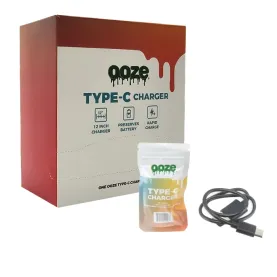
The Ripley includes a type-c charging cable. Plug it into the port on the back of the device and connect the cable to a wall adapter, like the one that was included with your smartphone.
The screen will indicate that it's charging when it's plugged in. Click the power button once to go back to the main menu.
 Display Display | |
|---|---|
| Single | |
OOZE RIPLEY DAB RIG HOOKAH
You’ve never seen a dab rig quite like the Ripley! This dab rig hookah is equipped with a King Size Onyx Atomizer for clean C-Core action, plus a tethered carb cap, 2400 mAh battery, LED lights, an elegant hookah hose mouthpiece, and a digital screen to control your session.
How to Clean the Ripley
We highly recommend wiping the Ripley down right after your session!
This may seem a little backwards, but it is so much easier to wipe off the residue when it is still fresh and warm. Avoid the regret of letting residue dry, which basically cements it inside your Ripley. That's just how extracts are!
Make your life easier and your dabs much more pleasant by taking a few extra seconds to wipe down your atomizer and the Quick Connection ports of your Ripley right after you finish your session.
How to Clean the Ripley Dab Rig Hookah
Remove the carb cap lid and separate the pieces. Wipe the glass ball piece down with alcohol.
Unscrew the King Size Onyx Atomizer and use a Micro Swab to remove any residue from the bucket and under the threads. Swab inside the chamber.
Empty the water chamber and use Res Gel to clean the glass.
Remove your hose and run some alcohol through it. Plug both ends and swish it back and forth to clean the airway. Rinse and let dry.
Fill a small dish with alcohol and place the ball bearings and Quick Connection ports in the cleaning solution. Rinse, let dry, and replace in the device.
Refill your water chamber and screw a new King Size Onyx Atomizer in if needed. Replace your carb cap and insert your hose into the port.
How to Charge the Ripley
The Ripley includes a type-c charging cable. Plug it into the port on the back of the device and connect the cable to a wall adapter, like the one that was included with your smartphone.
The screen will indicate that it's charging when it's plugged in. Click the power button once to go back to the main menu.
| Display | |
|---|---|
| Single | |
OOZE RIPLEY DAB RIG HOOKAH
You’ve never seen a dab rig quite like the Ripley! This dab rig hookah is equipped with a King Size Onyx Atomizer for clean C-Core action, plus a tethered carb cap, 2400 mAh battery, LED lights, an elegant hookah hose mouthpiece, and a digital screen to control your session.
How to Clean the Ripley
We highly recommend wiping the Ripley down right after your session!
This may seem a little backwards, but it is so much easier to wipe off the residue when it is still fresh and warm. Avoid the regret of letting residue dry, which basically cements it inside your Ripley. That's just how extracts are!
Make your life easier and your dabs much more pleasant by taking a few extra seconds to wipe down your atomizer and the Quick Connection ports of your Ripley right after you finish your session.
How to Clean the Ripley Dab Rig Hookah
Remove the carb cap lid and separate the pieces. Wipe the glass ball piece down with alcohol.
Unscrew the King Size Onyx Atomizer and use a Micro Swab to remove any residue from the bucket and under the threads. Swab inside the chamber.
Empty the water chamber and use Res Gel to clean the glass.
Remove your hose and run some alcohol through it. Plug both ends and swish it back and forth to clean the airway. Rinse and let dry.
Fill a small dish with alcohol and place the ball bearings and Quick Connection ports in the cleaning solution. Rinse, let dry, and replace in the device.
Refill your water chamber and screw a new King Size Onyx Atomizer in if needed. Replace your carb cap and insert your hose into the port.
How to Charge the Ripley
The Ripley includes a type-c charging cable. Plug it into the port on the back of the device and connect the cable to a wall adapter, like the one that was included with your smartphone.
The screen will indicate that it's charging when it's plugged in. Click the power button once to go back to the main menu.